반응형
복구된 시스템에 LVM 설정을 진행
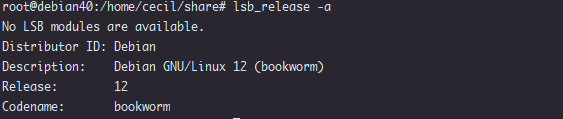
사용된 시스템은 intel 8400E P35 MB Debian 12

root@debian40:~#

fdisk -l 로 하드디스크 상태 확인후 기존 파티션 제거 새롭게 lvm2 타입(8e) 추가하기

root@debian40:~# fdisk -l
Disk /dev/sda: 119.24 GiB, 128035676160 bytes, 250069680 sectors
Disk model: TOSHIBA THNSNJ12
Units: sectors of 1 * 512 = 512 bytes
Sector size (logical/physical): 512 bytes / 512 bytes
I/O size (minimum/optimal): 512 bytes / 512 bytes
Disklabel type: dos
Disk identifier: 0xd5bf5d42

Device     Boot   Start       End   Sectors   Size Id Type
/dev/sda1  *       2048    999423    997376   487M 83 Linux
/dev/sda2       1001470 250068991 249067522 118.8G  5 Extended
/dev/sda5       1001472 250068991 249067520 118.8G 8e Linux LVM


Disk /dev/sde: 465.76 GiB, 500107862016 bytes, 976773168 sectors
Disk model: WDC WD5000AZLX-0
Units: sectors of 1 * 512 = 512 bytes
Sector size (logical/physical): 512 bytes / 4096 bytes
I/O size (minimum/optimal): 4096 bytes / 4096 bytes
Disklabel type: dos
Disk identifier: 0x811ba888

Device     Boot Start       End   Sectors   Size Id Type
/dev/sde1        2048 976773167 976771120 465.8G 8e Linux LVM


Disk /dev/sdd: 931.51 GiB, 1000204886016 bytes, 1953525168 sectors
Disk model: TOSHIBA DT01ACA1
Units: sectors of 1 * 512 = 512 bytes
Sector size (logical/physical): 512 bytes / 4096 bytes
I/O size (minimum/optimal): 4096 bytes / 4096 bytes
Disklabel type: dos
Disk identifier: 0xad11c254

Device     Boot Start        End    Sectors   Size Id Type
/dev/sdd1        2048 1953525167 1953523120 931.5G 8e Linux LVM


Disk /dev/sdc: 931.51 GiB, 1000204886016 bytes, 1953525168 sectors
Disk model: ST1000DM003-1CH1
Units: sectors of 1 * 512 = 512 bytes
Sector size (logical/physical): 512 bytes / 4096 bytes
I/O size (minimum/optimal): 4096 bytes / 4096 bytes
Disklabel type: dos
Disk identifier: 0xcc592ffb

Device     Boot Start        End    Sectors   Size Id Type
/dev/sdc1        2048 1953525167 1953523120 931.5G 8e Linux LVM


Disk /dev/sdb: 931.51 GiB, 1000204886016 bytes, 1953525168 sectors
Disk model: HGST HTS721010A9
Units: sectors of 1 * 512 = 512 bytes
Sector size (logical/physical): 512 bytes / 4096 bytes
I/O size (minimum/optimal): 4096 bytes / 4096 bytes
Disklabel type: dos
Disk identifier: 0xb1a76144

Device     Boot Start        End    Sectors   Size Id Type
/dev/sdb1        2048 1953525167 1953523120 931.5G 8e Linux LVM


Disk /dev/mapper/debian40--vg-root: 117.79 GiB, 126475042816 bytes, 247021568 sectors
Units: sectors of 1 * 512 = 512 bytes
Sector size (logical/physical): 512 bytes / 512 bytes
I/O size (minimum/optimal): 512 bytes / 512 bytes


Disk /dev/mapper/debian40--vg-swap_1: 976 MiB, 1023410176 bytes, 1998848 sectors
Units: sectors of 1 * 512 = 512 bytes
Sector size (logical/physical): 512 bytes / 512 bytes
I/O size (minimum/optimal): 512 bytes / 512 bytes


lvm 물리볼륨 추가 하기

root@debian40:~# pvcreate /dev/sdb1
  Physical volume "/dev/sdb1" successfully created.
root@debian40:~# pvcreate /dev/sdc1
  Physical volume "/dev/sdc1" successfully created.
root@debian40:~# pvcreate /dev/sdd1
  Physical volume "/dev/sdd1" successfully created.
root@debian40:~# pvcreate /dev/sde1
  Physical volume "/dev/sde1" successfully created.


vg 생성 하기

root@debian40:~# vgcreate rl /dev/sdb1 /dev/sdc1 /dev/sdd1 /dev/sde1
  Volume group "rl" successfully created


vg생성상태 확인하기

root@debian40:~# vgdisplay
  --- Volume group ---
  VG Name               rl
  System ID
  Format                lvm2
  Metadata Areas        4
  Metadata Sequence No  1
  VG Access             read/write
  VG Status             resizable
  MAX LV                0
  Cur LV                0
  Open LV               0
  Max PV                0
  Cur PV                4
  Act PV                4
  VG Size               3.18 TiB
  PE Size               4.00 MiB
  Total PE              834632
  Alloc PE / Size       0 / 0
  Free  PE / Size       834632 / 3.18 TiB
  VG UUID               Wfjv3r-vdAm-Aw7a-fMge-TEr8-WhmG-ITfMNL

  --- Volume group ---
  VG Name               debian40-vg
  System ID
  Format                lvm2
  Metadata Areas        1
  Metadata Sequence No  3
  VG Access             read/write
  VG Status             resizable
  MAX LV                0
  Cur LV                2
  Open LV               2
  Max PV                0
  Cur PV                1
  Act PV                1
  VG Size               118.76 GiB
  PE Size               4.00 MiB
  Total PE              30403
  Alloc PE / Size       30398 / 118.74 GiB
  Free  PE / Size       5 / 20.00 MiB
  VG UUID               LtyjFF-dzUX-ZePT-XjGd-WZcW-7aRp-LL0npL


lvm 논리볼륨을 전체 다 사용하기 (중간 백업용도라 전체 사용)
lvcreate -l 100%FREE(빈공간전체) -n lvhome(논리볼륨이름) rl(생성된vg이름)


root@debian40:~# lvcreate -l 100%FREE -n lvhome rl
  Logical volume "lvhome" created.
root@debian40:~# mkfs.ext4 /dev/rl/lvhome
mke2fs 1.47.0 (5-Feb-2023)
Creating filesystem with 854663168 4k blocks and 213671936 inodes
Filesystem UUID: 289725be-2db9-4d5f-8feb-40a4b87c7ca9
Superblock backups stored on blocks:
        32768, 98304, 163840, 229376, 294912, 819200, 884736, 1605632, 2654208,
        4096000, 7962624, 11239424, 20480000, 23887872, 71663616, 78675968,
        102400000, 214990848, 512000000, 550731776, 644972544

Allocating group tables: done
Writing inode tables: done
Creating journal (262144 blocks):
done
Writing superblocks and filesystem accounting information:
done


root@debian40:~# ls -la /
total 65
drwxr-xr-x  18 root root  4096 Feb 13 18:28 .
drwxr-xr-x  18 root root  4096 Feb 13 18:28 ..
lrwxrwxrwx   1 root root     7 Feb 13 18:28 bin -> usr/bin
drwxr-xr-x   4 root root  1024 Feb 14 13:40 boot
drwxr-xr-x  20 root root  3660 Feb 16 14:06 dev
drwxr-xr-x  67 root root  4096 Feb 16  2024 etc
drwxr-xr-x   3 root root  4096 Feb 14 10:09 home
lrwxrwxrwx   1 root root    30 Feb 13 18:28 initrd.img -> boot/initrd.img-6.1.0-18-amd64
lrwxrwxrwx   1 root root    30 Feb 13 18:28 initrd.img.old -> boot/initrd.img-6.1.0-18-amd64
lrwxrwxrwx   1 root root     7 Feb 13 18:28 lib -> usr/lib
lrwxrwxrwx   1 root root     9 Feb 13 18:28 lib64 -> usr/lib64
drwx------   2 root root 16384 Feb 13 18:28 lost+found
drwxr-xr-x   3 root root  4096 Feb 13 18:28 media
drwxr-xr-x   2 root root  4096 Feb 13 18:28 mnt
drwxr-xr-x   2 root root  4096 Feb 13 18:28 opt
dr-xr-xr-x 165 root root     0 Feb 16  2024 proc
drwx------   3 root root  4096 Feb 14 23:32 root
drwxr-xr-x  18 root root   580 Feb 16 13:37 run
lrwxrwxrwx   1 root root     8 Feb 13 18:28 sbin -> usr/sbin
drwxr-xr-x   2 root root  4096 Feb 13 18:28 srv
dr-xr-xr-x  13 root root     0 Feb 16  2024 sys
drwxrwxrwt   9 root root  4096 Feb 16  2024 tmp
drwxr-xr-x  12 root root  4096 Feb 13 18:28 usr
drwxr-xr-x  12 root root  4096 Feb 14 10:08 var
lrwxrwxrwx   1 root root    27 Feb 13 18:28 vmlinuz -> boot/vmlinuz-6.1.0-18-amd64
lrwxrwxrwx   1 root root    27 Feb 13 18:28 vmlinuz.old -> boot/vmlinuz-6.1.0-18-amd64


마운트할 디렉토리 생성 /home/cecil/share
생성된논리볼륨을 디렉토리에 마운트 /dev/rl/lvhome  -> /home/cecil/share

root@debian40:~# mkdir /home/cecil/share
root@debian40:~# mount /dev/rl/lvhome /home/cecil/share
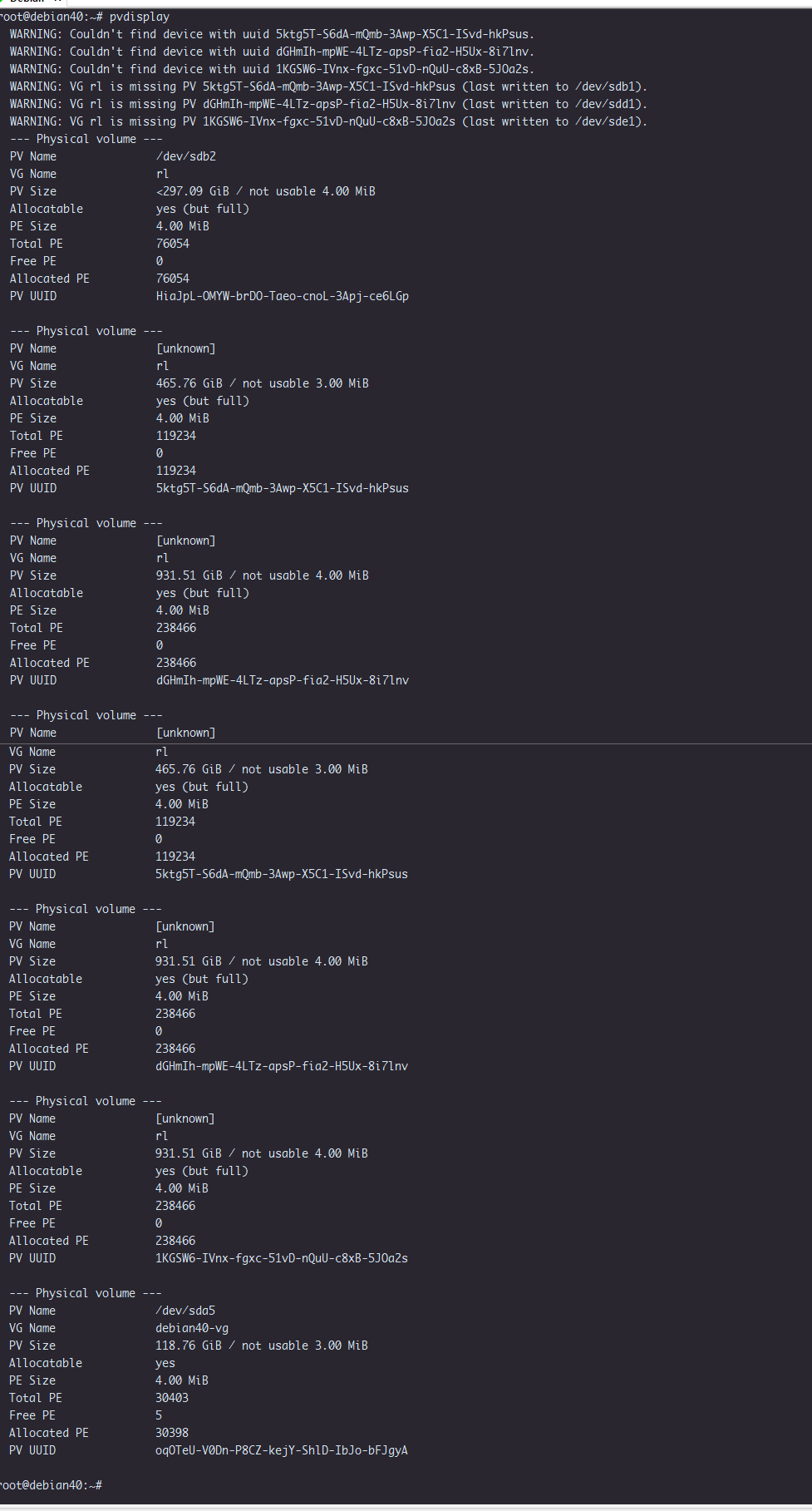
root@debian40:~# pvdisplay
  --- Physical volume ---
  PV Name               /dev/sdb1
  VG Name               rl
  PV Size               931.51 GiB / not usable 4.71 MiB
  Allocatable           yes (but full)
  PE Size               4.00 MiB
  Total PE              238466
  Free PE               0
  Allocated PE          238466
  PV UUID               NaUlF5-yDJS-WyHv-eoja-sZgt-PqEa-1dCYUe

  --- Physical volume ---
  PV Name               /dev/sdc1
  VG Name               rl
  PV Size               931.51 GiB / not usable 4.71 MiB
  Allocatable           yes (but full)
  PE Size               4.00 MiB
  Total PE              238466
  Free PE               0
  Allocated PE          238466
  PV UUID               Jd4ibE-KLl3-0hhd-QEwo-yvFe-7zcF-wvW3IY

  --- Physical volume ---
  PV Name               /dev/sdd1
  VG Name               rl
  PV Size               931.51 GiB / not usable 4.71 MiB
  Allocatable           yes (but full)
  PE Size               4.00 MiB
  Total PE              238466
  Free PE               0
  Allocated PE          238466
  PV UUID               qj5Fod-0GyW-sPp4-C4TP-X52Q-DtQf-0AR5gR

  --- Physical volume ---
  PV Name               /dev/sde1
  VG Name               rl
  PV Size               465.76 GiB / not usable 3.02 MiB
  Allocatable           yes (but full)
  PE Size               4.00 MiB
  Total PE              119234
  Free PE               0
  Allocated PE          119234
  PV UUID               oeEyVq-4Bvs-Zee5-HteA-xFzi-uu6i-wRxRXS

  --- Physical volume ---
  PV Name               /dev/sda5
  VG Name               debian40-vg
  PV Size               118.76 GiB / not usable 3.00 MiB
  Allocatable           yes
  PE Size               4.00 MiB
  Total PE              30403
  Free PE               5
  Allocated PE          30398
  PV UUID               oqOTeU-V0Dn-P8CZ-kejY-ShlD-IbJo-bFJgyA

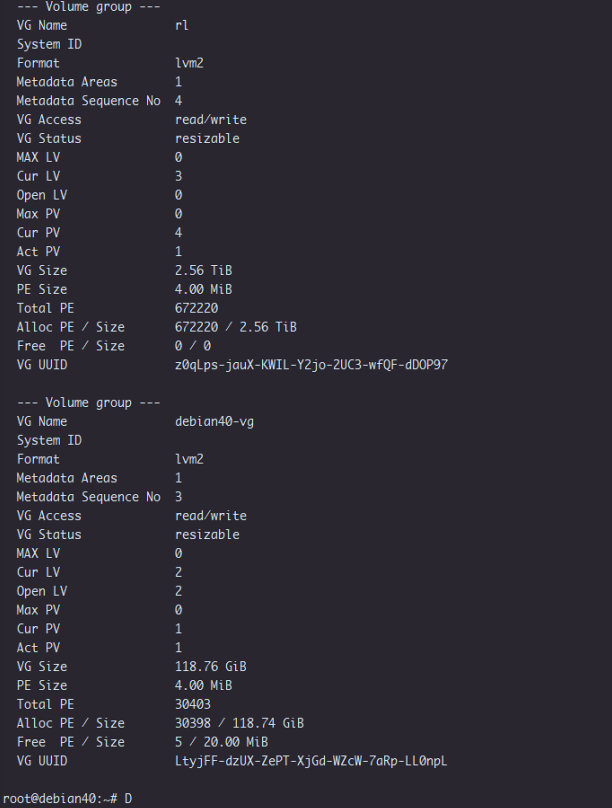
root@debian40:~# vgdisplay
  --- Volume group ---
  VG Name               rl
  System ID
  Format                lvm2
  Metadata Areas        4
  Metadata Sequence No  2
  VG Access             read/write
  VG Status             resizable
  MAX LV                0
  Cur LV                1
  Open LV               1
  Max PV                0
  Cur PV                4
  Act PV                4
  VG Size               3.18 TiB
  PE Size               4.00 MiB
  Total PE              834632
  Alloc PE / Size       834632 / 3.18 TiB
  Free  PE / Size       0 / 0
  VG UUID               Wfjv3r-vdAm-Aw7a-fMge-TEr8-WhmG-ITfMNL

  --- Volume group ---
  VG Name               debian40-vg
  System ID
  Format                lvm2
  Metadata Areas        1
  Metadata Sequence No  3
  VG Access             read/write
  VG Status             resizable
  MAX LV                0
  Cur LV                2
  Open LV               2
  Max PV                0
  Cur PV                1
  Act PV                1
  VG Size               118.76 GiB
  PE Size               4.00 MiB
  Total PE              30403
  Alloc PE / Size       30398 / 118.74 GiB
  Free  PE / Size       5 / 20.00 MiB
  VG UUID               LtyjFF-dzUX-ZePT-XjGd-WZcW-7aRp-LL0npL

root@debian40:~# lvdisplay
  --- Logical volume ---
  LV Path                /dev/rl/lvhome
  LV Name                lvhome
  VG Name                rl
  LV UUID                APhfXH-cwaz-rPRA-UuQ6-rHFq-7rt1-6LrTd4
  LV Write Access        read/write
  LV Creation host, time debian40, 2024-02-16 14:06:52 +0900
  LV Status              available
  # open                 1
  LV Size                3.18 TiB
  Current LE             834632
  Segments               4
  Allocation             inherit
  Read ahead sectors     auto
  - currently set to     256
  Block device           254:2

  --- Logical volume ---
  LV Path                /dev/debian40-vg/root
  LV Name                root
  VG Name                debian40-vg
  LV UUID                4yXMPO-Zikk-ndAQ-943m-kXqV-Le22-GLu7a3
  LV Write Access        read/write
  LV Creation host, time debian40, 2024-02-13 18:28:00 +0900
  LV Status              available
  # open                 1
  LV Size                <117.79 GiB
  Current LE             30154
  Segments               1
  Allocation             inherit
  Read ahead sectors     auto
  - currently set to     256
  Block device           254:0

  --- Logical volume ---
  LV Path                /dev/debian40-vg/swap_1
  LV Name                swap_1
  VG Name                debian40-vg
  LV UUID                VsaCsL-32Ho-SFXC-RNDl-KePm-BBC8-MMEQtD
  LV Write Access        read/write
  LV Creation host, time debian40, 2024-02-13 18:28:00 +0900
  LV Status              available
  # open                 2
  LV Size                976.00 MiB
  Current LE             244
  Segments               1
  Allocation             inherit
  Read ahead sectors     auto
  - currently set to     256
  Block device           254:1


root@debian40:~# lvs
  LV     VG          Attr       LSize    Pool Origin Data%  Meta%  Move Log Cpy%Sync Convert
  root   debian40-vg -wi-ao---- <117.79g
  swap_1 debian40-vg -wi-ao----  976.00m
  lvhome rl          -wi-ao----    3.18t


시스템시작시 자동 마운트하기 위해서 fstab에 등록
등록하기 위해 매핑상태를 확인  ls /dev/mapper
debian40--vg-root  debian40--vg-swap_1  rl-lvhome
debian40--vg-root  debian40--vg-swap_1 기존등록
rl-lvhome  새롭게 등록할 내용

root@debian40:~# ls /dev/mapper
control  debian40--vg-root  debian40--vg-swap_1  rl-lvhome


root@debian40:~# vi /etc/fstab
# /etc/fstab: static file system information.
#
# Use 'blkid' to print the universally unique identifier for a
# device; this may be used with UUID= as a more robust way to name devices
# that works even if disks are added and removed. See fstab(5).
#
# systemd generates mount units based on this file, see systemd.mount(5).
# Please run 'systemctl daemon-reload' after making changes here.
#
# <file system> <mount point>   <type>  <options>       <dump>  <pass>
/dev/mapper/debian40--vg-root /               ext4    errors=remount-ro 0       1
# /boot was on /dev/sda1 during installation
UUID=5a846316-9f22-437e-bebb-9c5a23e358fd /boot           ext2    defaults        0       2
/dev/mapper/debian40--vg-swap_1 none            swap    sw              0       0
/dev/mapper/rl-lvhome   /home/cecil/share       ext4    defaults        0       0
~
~
~
~
~
~
~
~
~
~
~
~
~
~
~
~
~
~
~
~
~
~
~
~
~
~
"/etc/fstab" 15 lines, 824 bytes written


업데이트 하여주고  reboot  확인해보기..

root@debian40:~# update-initramfs -u
update-initramfs: Generating /boot/initrd.img-6.1.0-18-amd64
root@debian40:~#
root@debian40:~# reboot
root@debian40:~#
반응형
'Linux' 카테고리의 다른 글
| LVM 파티션 복구 (0) | 2024.02.16 |
|---|---|
| Rocky linux 네트워크 카드 전송속도등 변경 (1) | 2023.11.23 |
| Rocky Linux 9.1 NGINX 설치 (0) | 2023.04.04 |
| [Mysql] mysql_secure_installation으로 패스워드 설정이 어려울때 (0) | 2021.05.10 |
| [mysql]CentOS7에서 MariaDB/ MySQL 설치 (0) | 2017.01.04 |